Kingshot Codes Not Working? (2026 Fixes)
Published 2026-09-236 min read
Kingshot code rejected? Fix every known failure — expired strings, case slips, claimed codes, region locks, missing mail — or confirm it is dead and move on.
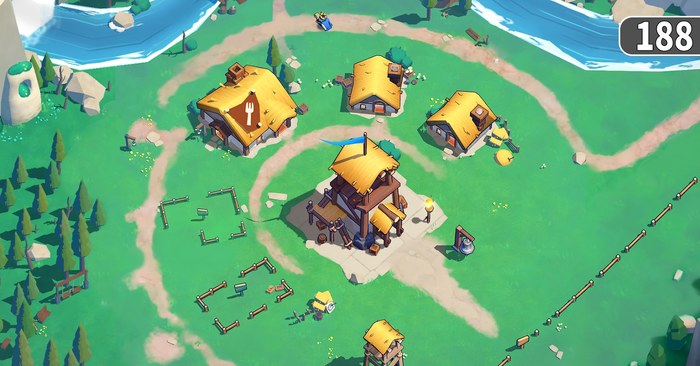
A rejected gift code feels random, but the portal's error is always about one specific thing: the string, the account, or the timing. Match your symptom below and you will either fix the redemption in a minute or confirm the code is dead and move on to a live one.
"Code invalid" or "code does not exist"
The server does not recognize the string at all. Three causes, in order of likelihood:
- A typo or case slip. Codes are compared strictly —
XMAS2025fails asxmas2025orXMAS2O25with a letter O. Delete what you typed, copy the code fresh from the active codes table, and paste it. - Trailing whitespace. Mobile pastes sometimes drag a space along. Tap into the field and clear both ends.
- The code is fully retired. Strings that have been dead for months can vanish from the lookup entirely, producing "does not exist" instead of a friendlier message. Check whether your code appears in the expired archive on the main codes page — if it does, no fix exists; take a new code.
"Code already redeemed" or "code has been used"
Codes are single-use per account. Seeing this error means your account already claimed it — the reward is not lost, it is sitting in your mailbox history or already applied. Note that the limit is per account, not per device: a second account on the same phone can still claim the same code once for itself.
The code expired
Most Kingshot codes live three to seven days, and seasonal strings (holiday, anniversary, event tie-ins) usually die when the event does. December 2025's holiday batch — XMAS2025, HAPPYHOLIDAYS, WINTER2025 and friends — is the clearest example: every one of them expired in early January 2026. There is no revive trick; the reward queue behind an expired code is closed server-side.
What you can do: keep this habit — redeem the day you see a code, and follow the release channels in our new-codes guide so the next drop reaches you while it is alive.
Region or server restrictions
A small set of codes is scoped to specific regions, servers, or event participants. A code that works for a streamer's audience may reject yours with no clearer message than "invalid". If the string is flawless, freshly published, and still refuses, check where it originated — a code handed out on a specific server's anniversary stream, for instance, often redeems only there.
Rewards never showed up in the mailbox
The portal said success but the mail is empty. Usual sequence:
- Wait one to two minutes — delivery is near-instant but not atomic.
- Fully close and reopen the mailbox, including the system messages tab; bundles arrive as system mail.
- Re-submit the code once. If the first attempt actually went through, the server answers "already redeemed" — annoying, but it confirms the claim succeeded and the mail is just lagging.
- Still nothing after a server reset? That is a support ticket, not a typo problem.
The portal will not load or the button does nothing
Three fixes cover nearly every case: leave the in-app browser (open ks-giftcode.centurygame.com directly in Safari or Chrome), disable VPN or proxy for the attempt, and clear the page or swap browsers if the confirm button stays dead. The portal is lightweight; if it misbehaves, the in-game gift box on Android is the fallback.
When nothing works
If every live code fails with a flawless input on two devices, the account itself may be flagged or the server may be mid-maintenance. Kingshot's in-game Settings → customer support is the escalation path — include your Player ID and a screenshot of the error. Before you write that ticket, though, re-run the redemption walkthrough once slowly; it fixes the majority of "the site is broken" reports.